The best Kindles in the UK for every bookworm and budget – tested
Whether you want a colour screen, somewhere to scribble notes or a child-friendly model, here’s what we recommend from Amazon’s e-reader range
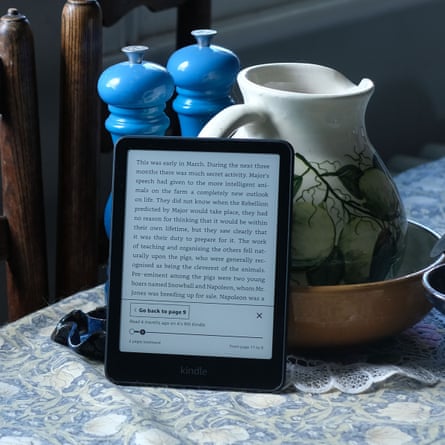
From that fresh paperback smell to the wrinkles in the spine, nothing beats a real book. But if you’re sick of the space they take up in your home, or the weight they steal from your holiday luggage allowance, it might be worth considering an Amazon Kindle. It can fit thousands of weighty reads into as little as 158g, and as tech goes, it’s almost immune to the sort of pathological time-wasting features that come with modern phones and tablets.
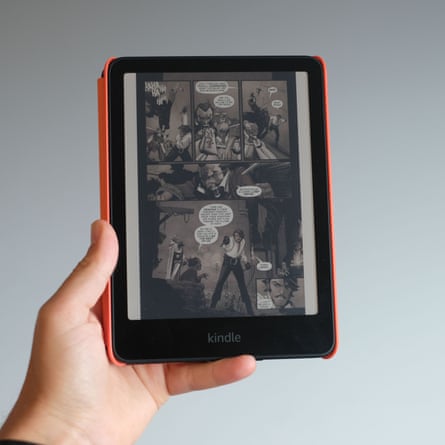
Amazon Kindles have been available in the UK for more than 15 years, so they’re an old-school gadget at this point. But in 2024, the biggest update yet arrived: colour, which added an important extra option to the existing Kindle lineup, alongside readers for children, for note-taking and for tighter budgets.
With so many modern versions available now, I spent months testing them to analyse their pros and cons to help you find the best Kindle for your needs.
A note on Kindle’s next generation
Amazon clearly has a sense of humour, because no less than one day after I’d finished writing this guide the brand announced a whole new range of Kindles. I will keep this page updated with how the new line compares once I have fully tested them.
Available to preorder ahead of their release on 11 November, the Kindle Paperwhite and Colorsoft will be a little lighter and thinner than their predecessors, with a fetching new array of colours.
More significant changes have been made to the Signature Edition models, trading plastic backing for an aluminium one. But it’s the basic Kindle that’ll get the biggest upgrade, with the raised screen border replaced for a flat end-to-end design like the Paperwhite. There are Kids editions of these e-readers coming, too.
The good news about fresh launches is that the models tested here are far more likely to be slashed in price, so you could save some money.
At a glance
- Best Kindle overall
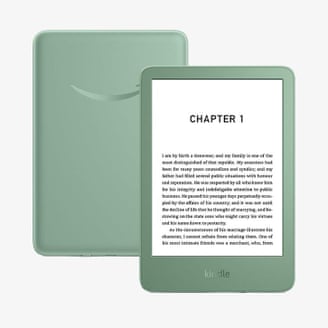
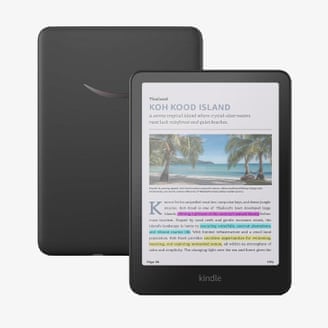
KindlePaperwhite (2024)£184.99 at Amazon - Best budget Kindle
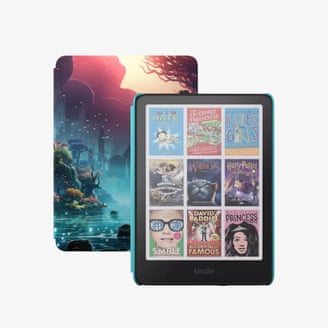
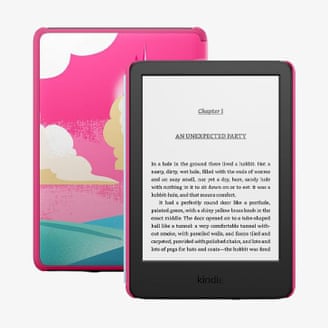
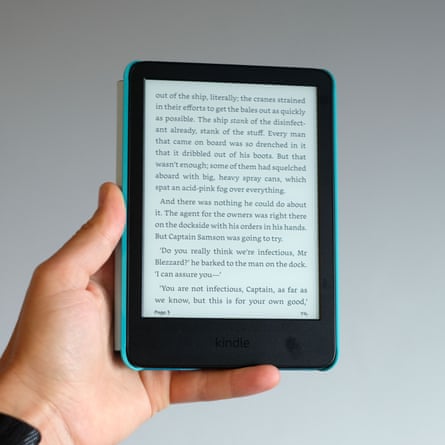
AmazonKindle (2024)£134.99 at Argos - Best Kindle for kids
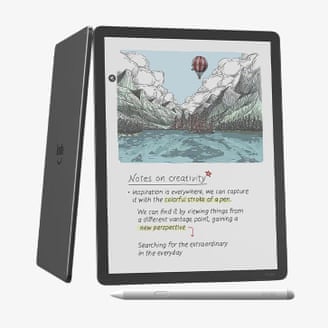
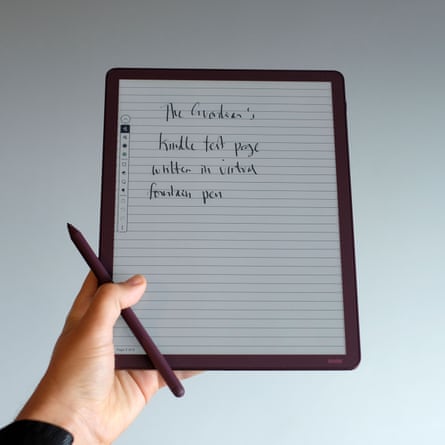
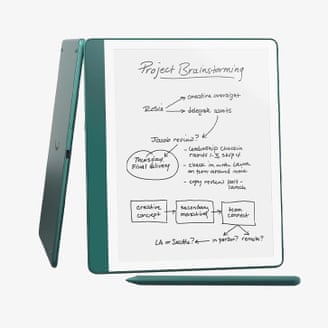
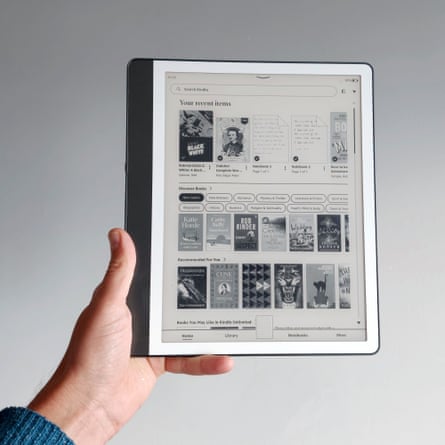
KindleColorsoft Kids£274.99 at John Lewis - Best Kindle for note-taking
KindleScribe Colorsoft£569 at Amazon - Best budget Kindle for kids
KindleKids£159.99 at John Lewis - Best colour Kindle
KindleColorsoft (2024)£239.99 at Amazon
Why you should trust me
I’m a long-term e-reader user; I first tried one in place of paperbacks in 2009, the Sony PRS-505, a year before the first Kindle arrived in the UK. Since then I have tested almost every member of the Kindle family going. From the Kindle Fire HD (which some say never deserved the Kindle name at all because it’s more tablet than e-reader) to fondly remembered classics such as the Kindle Voyage and Oasis, I’ve lived with them all, for better and worse. I keep coming back to Kindles over other e-readers for their simplicity and reliability – and for Amazon’s ever-changing Kindle book sales.
Most of my book reading is done on e-readers these days. Light, portable and ideal for bedtime reading, e-readers are among my favourite pieces of tech – even if nothing can quite replace the nostalgic charm of a real paperback.
How I tested

To test a Kindle, you need to live with one for a while. Many keep ebook readers for a decade or more – they can be remarkably long-lasting – so a cursory test wasn’t going to cut it.
While I’ve tried each of these devices as my personal e-reader for several weeks (at the very least), I’ve used the key Colorsoft and Paperwhite readers for about six months, on and off. And for the Kindles designed to offer more than just reading, such as the Kindle Scribe, I wrapped them into my day-to-day routine, using the Scribe (for example) in place of a paper to-do list.
Unlike a tablet, raw power is not important in e-readers. Page-turn speed does matter, but is now good across the whole Kindle lineup. What matters more is how comfortable the screen is to read from, how comfortable the e-reader is to hold, and of course how well it slots into your day-to-day life.
Any remaining devices from this Kindle group test will be donated to Cancer Research UK.
The best Kindles in 2026


The best of the rest
What you need to know
Can you borrow library books with a Kindle?
Kindles cannot borrow ebooks from digital lending libraries in the UK.
The two common digital book-borrowing services used across the UK are BorrowBox and OverDrive’s Libby. Unfortunately, Kindles don’t support either of these platforms in the UK. Kindle users in the US do, however, get to borrow books through OverDrive.
To get library book loans, consider a Kobo or PocketBook e-reader. Both support Libby. Head to your local library to see whether it supports such loans with a membership.
What Kindle accessories are worth having?
A case is highly recommended, particularly if you use a Kindle Colorsoft or Paperwhite. I learned the hard way. These e-readers have a border layer of rubbery material that sits between the rear casing and the screen. It acts as handy impact protection, but can become tatty through general wear in a few months if there’s no case to help out.
Amazon’s own Kindle cases are good quality, if a little expensive, but alternatives are available. If you mostly read in bed, you may want to try one with a hand strap, which I’ve enjoyed using in the past.
Does a Prime membership come with free Kindle books?
An Amazon Prime membership doesn’t include Kindle Unlimited, but Prime Reading does provide access to a rotating but limited library of titles – the number of included novels tots up to a figure in the low thousands.
That’s plenty to be getting on with for the casual fiction fan, but it’s going to be down to luck if a book you already want to read happens to be in there. It has never happened to me.
Prime Reading is a borrowing service. You don’t have permanent access to these books once you pick them, but you can borrow up to 10 at a time for as long as you have an active Prime membership.
Is Kindle Unlimited worth it?
Kindle Unlimited costs £9.49 a month and includes “unlimited access” to a large number of books, audiobooks and magazines.
There are a couple of limitations, though. You can borrow up to 20 titles at once, but unlike a library loan, there are no return dates. For most, this won’t be a major limitation, especially since you can just “return” one of the books if you hit the limit and want something new.
The Kindle Unlimited collection doesn’t encompass the entire Kindle library either, giving access to about 4m titles. (Amazon doesn’t publish stats on how many books are in the full Kindle library, but some estimates have the figure at above 10m.) As such, if you are the kind of person who gets your heart set on reading something specific, you may find Unlimited frustrating.
Happy to have a browse and pick something from a glance at its cover, summary or reader reviews? It could end up a real bargain for the voracious readers out there. You can try a month for free, and occasionally longer trials are available too. You can check over at the Kindle Unlimited landing page.
What to do with your old Kindle
Kindles can fetch a good price secondhand on platforms such as eBay or Vinted. The main turn-off for buyers is usually scratches or damage to the screen. Alternatively, CeX accepts Kindles, although phone trade-in fave musicMagpie does not.
If this sounds like too much effort, Amazon has a trade-in scheme for many sorts of Kindles – although you won’t get much for older-generation models – and you’ll get a 20% discount off a new Kindle. Digging a little deeper into the terms and conditions, your old Kindle needs to work, hold charge, be free of cracks and defects, and have no stickers or decals on the screen. Otherwise, your trade-in value will tank.
How do you get a refurbished or cheap Kindle?
Amazon sells refurbished Kindles at a slight discount. And while you don’t quite get the level of promised quality that Apple’s Certified Refurbished iPads have – including a guaranteed new casing and battery, for example – Amazon does claim a refurb should “look and work like new”.
If you’d rather buy a brand-new device, it’s probably a good idea to wait for one of Amazon’s sales. Such sales periods are the best time to buy a Kindle.
These are typically Black Friday in November and Prime Day in the summer, with additional sales in October and around Christmas. I’ve seen sub-£100 refurbished Kindle Paperwhites during these sales, representing £44 off the current refurbished price, £85 off the “new” cost.
What are Kindle ads and can you remove them?
When you buy most Kindles, you have the option to buy it “with ads” or without, and there’s a £10 to £15 saving if you pick the ads version. That means adverts will be displayed on the lockscreen when the e-reader is not in use.
They are pretty inoffensive, as ads go, typically advertising a book – and are not shown while you are actively reading.
However, you can also upgrade a Kindle with ads to ad-free software for a one-off fee whenever you like.
Are Signature Editions worth it?
The Paperwhite and Colorsoft are available as Signature Edition models at a price bump.Upgrades include wireless charging, double the storage and an auto-adjusting front light. By tech standards, it’s not a pricey upgrade. However, none are all that noticeable unless you’re a real wireless-charging household.
Kindle batteries last for several weeks, and getting close to running out of storage isn’t something most need to worry about. And the auto-screen-brightness feature is far less reactive than that of a phone, at times making you wonder if it’s doing anything at all.
How much recycled material do Kindles use?
Like several of the key tech manufacturers, Amazon likes to talk up the recycled materials used in its key products. All Kindle packaging uses 99% materials from “responsibly managed forests or recycled sources”. Here’s how the devices themselves stack up:
- Kindle Paperwhite (2024) – 29% recycled materials in total, internal frame is 90% recycled magnesium
- Kindle Colorsoft (2024) – 28% recycled materials in total, battery uses 100% recycled cobalt
- Kindle (basic) – 75% recycled plastics, 90% recycled magnesium
- Scribe (2024) – 18% recycled materials in total, 100% recycled aluminium
- Scribe Colorsoft (2025) – 11% recycled materials in total, battery uses 100% recycled cobalt
Amazon provides a sustainability data sheet for all key models on its sustainability website.
For more, read the best e-readers and the 100 best novels of all time
Andrew Williams is a consumer journalist who has written about technology since before the first iPhone came out. As his flat is filled with the cardboard boxes of gadgets, he tries to get out for a run whenever possible to avoid them – often while testing a fitness tracker and a phone camera at the same time
Originally published by theguardian.com. Syndicated material does not necessarily reflect the views of Vogue British.